
Disclosure: As an Amazon Associate I earn from qualifying purchases. How this site works
Custom Case Design Guide
A few checks before uploading avoid blurry or badly cropped prints.
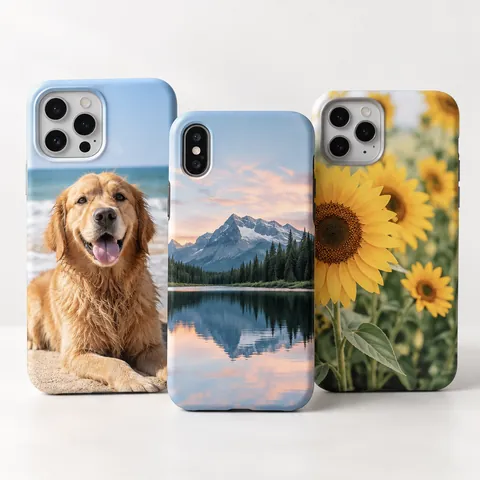 Custom photo cases
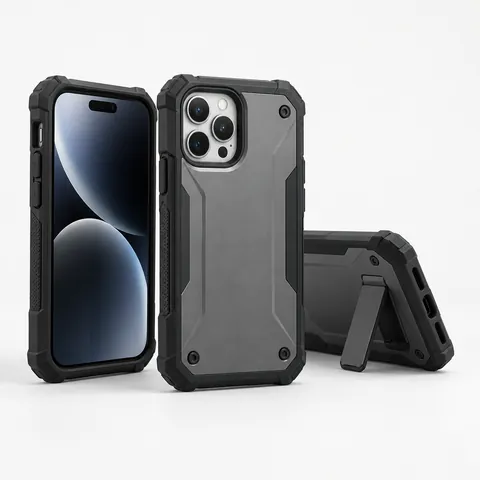 Tough cases
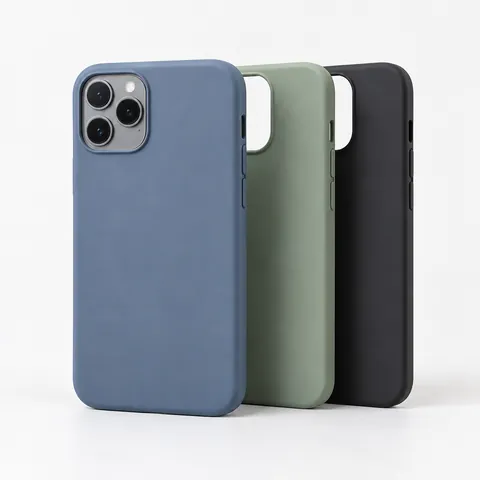 Slim cases
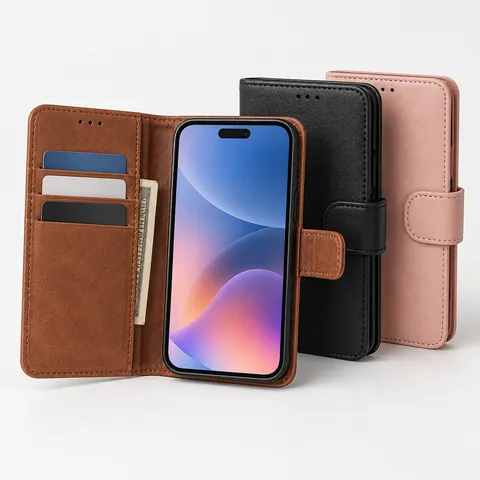 Wallet cases
Checklist
- Original photo, not a screenshot.
- Crop tall, leaving margin at the top for the camera.
- Keep text 3–5 mm from edges.
- Brighten dark photos slightly.
- Preview with the seller’s camera-cutout overlay.
Text and fonts
- Use bold, simple fonts at a readable size.
- High contrast between text and background.
- Check names and dates carefully.
See custom photo cases.
What size photo do I need for a custom phone case?
Start with the largest version of the image you can get. A photo that looks sharp on a phone screen can still print soft if it is small, heavily compressed, or downloaded from a social app. If the seller’s upload tool shows a low-resolution warning, do not ignore it; choose a larger file or simplify the layout.
- Use the original camera file when possible, such as a full-size JPEG or HEIC exported at maximum quality.
- Avoid images saved repeatedly through messaging apps, because each save may reduce detail.
- For a single full-case photo, a taller portrait image usually gives you more usable area than a wide landscape image.
- If you are scanning an old print, scan at a high setting and clean the glass first to avoid dust spots.
- Zoom in to 100% on a computer. If faces, pet fur, handwriting, or small details already look mushy, they will not improve in print.
DPI numbers can be confusing because the physical print size changes by phone model. A practical rule is to let pixel dimensions matter more than the DPI tag saved inside the file. If the image has enough pixels and looks clean when viewed large, it is usually a better candidate than a tiny file labeled with a high DPI value.
How should I crop a photo so the camera cutout does not ruin it?
Treat the phone case template as the final shape, not as a normal photo frame. The camera opening, rounded corners, side curves, and any raised lip can remove or visually interrupt parts of the image. Put the subject slightly lower and more centered than you might for a wall print, especially on phones with a large camera area.
- Choose the exact phone model before designing. A case for a similar model may have a different camera shape or button placement.
- Open the seller’s template or live preview and turn on every overlay the tool provides.
- Place important faces, eyes, logos, dates, and pet features away from the camera corner and outside the trim edge.
- Check both the front preview and any side or wrap preview if the design continues over the edges.
- Step back from the screen and view the design small. If the main subject is not obvious at thumbnail size, simplify the crop.
Be extra careful with group photos. A crop that keeps everyone visible may place one person under the camera opening. In that case, consider a collage, a smaller centered image with a background color, or a photo where the group is farther from the top edge.
What file type is best for uploading a phone case design?
Most custom case sellers accept common image formats, but the best choice depends on the design. A regular photo is usually safest as a high-quality JPEG. Artwork, text, logos, and transparent backgrounds may need PNG if the uploader supports it. If the site converts your file after upload, inspect the preview carefully before ordering.
| File type | Best for | Watch out for |
|---|---|---|
| JPEG or JPG | Full-color photos, portraits, travel shots, pet photos | Repeated saving can add compression marks, especially around text and flat color |
| PNG | Text art, simple graphics, designs needing transparency | Large files may upload slowly, and some sellers flatten transparency against a default background |
| HEIC | Original photos from many newer phones | Not every upload tool accepts it, so you may need to export a full-quality JPEG |
| Finished layouts made in design software | Only use it if the seller specifically accepts PDF and shows an accurate proof |
Do not upload a layout embedded inside a document, presentation slide, or screenshot if you can export the actual image instead. Those formats often add extra borders or reduce the file behind the scenes.
How do colors, finishes, and case materials affect the printed photo?
A phone case print is not backlit like your screen, so colors often look less bright after printing. Very dark shadows can close up, while pale text on a light sky, sand, snow, or white shirt may be hard to read. Make practical edits: lift shadows a little, reduce harsh highlights, and avoid relying on extremely subtle color differences.
The case finish also changes the look. A glossy surface can make photos appear more vivid but may show fingerprints and glare. A matte surface can reduce glare and feel softer in hand, but it may make dark images look flatter. Clear cases can shift the final look depending on the phone color underneath, so preview on a similar background if the seller offers that option.
Material matters for placement too. A slim printed shell may show the artwork mainly on the back. A more protective case may have raised edges, textured sides, or a separate bumper that limits where the print appears. If protection matters as much as the photo, compare tough phone cases before committing to a design. If you want the photo to be the main feature, compare custom photo cases that show clear templates and proofs.
What should I check before placing the order?
Before paying, slow down and proof the design like it cannot be fixed later. Custom printed products are often harder to return unless there is a production defect, so the final preview is the time to catch mistakes.
- Confirm the exact phone model, including series name, size, and year if listed.
- Look for mirrored images. Selfies, sports uniforms, license plates, and text can reveal if the image has been flipped.
- Check that no white border appears unless you want one.
- Read the seller’s note about image rights if using professional photos, artwork, team logos, or copyrighted characters.
- Make sure the billing and shipping addresses are correct before submitting.
- Save a copy of the final design file or take a record of the approved preview for reference.
If you are ordering a gift, allow time for questions, reprints, or shipping delays. A rushed order leaves less room to replace a low-quality image or correct a model mistake.
Frequently asked questions
Is 300 DPI required for a custom phone case photo?
Not always. Many print workflows prefer high-resolution files, but the actual pixel dimensions and the final print size matter more than the DPI label alone. If the uploader warns that the file is too small, use a larger original rather than changing only the DPI setting.
Can I use a photo from Instagram or Facebook for a phone case?
You can upload it if the seller accepts the file, but it may not print well. Social platforms often shrink and compress images, which can make faces and small details look soft. Try to get the original photo from the camera roll, cloud storage, or the person who took it.
Should I make a collage or use one full photo?
Use one full photo when you want the strongest, cleanest result, especially for a portrait, pet, or landscape. A collage works better when the memories matter more than fine detail, but keep the number of images modest. Too many small photos can become hard to see on a narrow case.
Will the printed phone case match the colors on my screen?
It may be close, but it will not be exact. Screens glow and can be set very bright, while a printed case reflects room light. For safer results, avoid designs that depend on very dark detail, very pale text, or tiny differences between similar colors.
Can I remove the background from a photo before printing it on a case?
Yes, if you can create a clean cutout and save it in a format the seller supports, usually PNG. Check the edges around hair, fur, glasses, and hands, because rough cutouts are easier to notice on a simple background. If the upload preview adds an unexpected background color, adjust the file before ordering.
Disclosure: As an Amazon Associate I earn from qualifying purchases. This site may earn a commission when you buy through its links, at no extra cost to you. Product details come from public manufacturer information; always check the merchant page for current specifications and prices. We have not hands-on tested the products described here.